Anonymous case study
Company
A top-five Danish advisory and accounting firm that offers a full suite of services—from auditing, tax planning, and corporate finance to outsourced bookkeeping, IT consulting, and sustainability advisory—primarily serving small and medium-sized enterprises.
The challenge: static documents stalled client engagement
Every year, a Danish auditing firm held hundreds of client meetings. These weren’t just formalities—they were essential conversations where clients expected clarity about their financial performance and a glimpse into future opportunities.
But there was a problem. The primary tool for these meetings was a long, text-heavy Word document. While packed with financial data, it lacked visual context and was difficult to present. Auditors often spent meetings scrolling through dense paragraphs and static tables, trying to explain key insights. Clients struggled to stay engaged, and even the most important numbers felt disconnected from the bigger picture.
The firm realized that while their financial insights were valuable, the way they delivered them needed to change. They needed something more visual, more dynamic, and easier to understand.
That’s where Create’s silent flows came in.
The solution: silent flows with Create
Using Create, the firm now automatically generates PowerPoint presentations that bring financial data to life. Each presentation is tailored to the client and includes charts, tables, and insights drawn directly from live data. These presentations—used in face-to-face status meetings—make it easier for auditors to present, explain, and discuss financial performance.
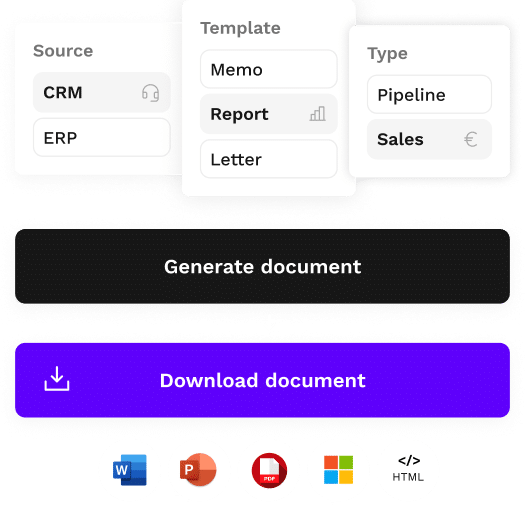
With Create’s silent document generation, the entire process runs automatically in the background. Auditors don’t need to open a template, fill in data, or format content manually. They simply click a “Create presentation” button directly from Power BI. Behind the scenes, Create uses a silent flow to pull client-specific data, map it to a predefined template, and produce a fully polished deck in seconds—without interrupting the user’s workflow.

Each client has a Power BI dashboard that holds their financial data
As Create has been directly integrated into Power BI, the auditor simply clicks a “Create Presentation” button within the platform interface.
Create pulls in the data and generates a presentation, accurately formatting data into visuals like charts and tables, ready to use in minutes
The results
The presentation content was generated using Create and includes a comprehensive overview of accounts and key financial figures. Revenue breakdowns are presented through both tables and charts, alongside a detailed analysis of fixed and variable costs. Balance sheets and cash flow statements are visualized for clarity, while year-over-year comparisons highlight earnings and losses over time. The presentation also features strategic commentary, offering insights into future outlooks and relevant market trends.
As a result of implementing Create’s silent flows, the firm now has over 800 automated presentations are generated each month. Client meetings are powered by visually rich, data-driven decks that improve communication and financial insights are in turn, much easier to share.
Omnidocs Create
See how Create works with financial services
Create is a document generation platform that makes the creation of client or customer specific documents easy and efficient.